IntelliJ IDEA – Code reformat and rearrange shortcut keys
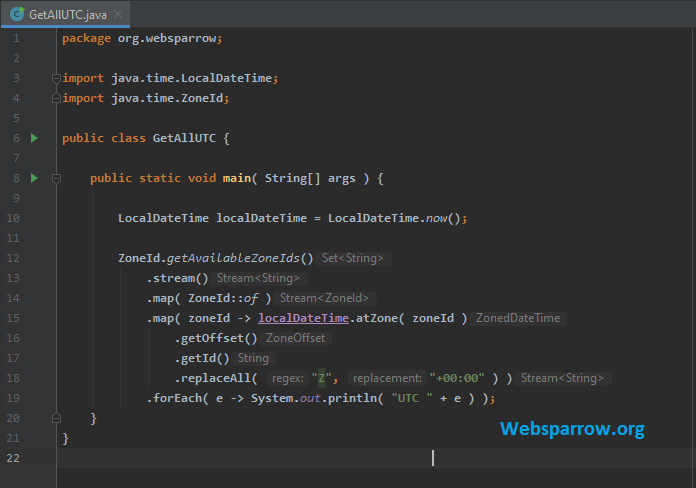
In IntelliJ IDEA, we can use Ctrl + Alt + L to reformat and rearrange code in Windows and Linux machine and for Mac OS, use command + option + L.
P.S. Tested with IntelliJ IDEA 2019.3.3 (Community Edition) on Windows machine.
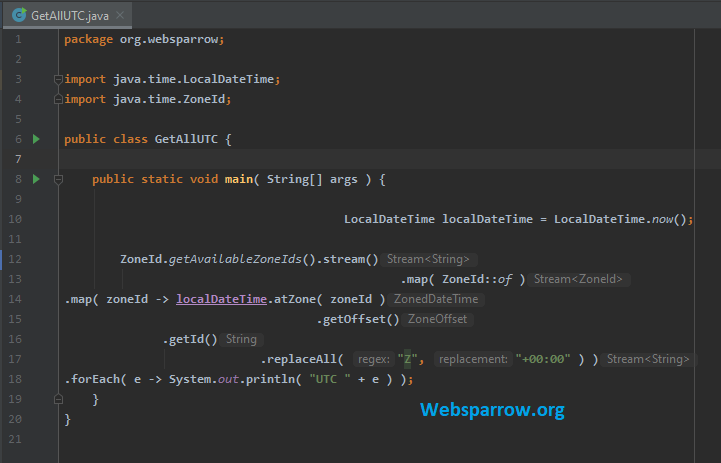
1. Unstructured code in IntelliJ IDEA.
2. Formatted code in after pressing Ctrl + Alt + L keys.
References
- IntelliJ IDEA – public static void main shortcut
- IntelliJ IDEA – System.out.println shortcut
- Reformat and rearrange code
Similar Posts
- How to remove vertical line from editor pane in IntelliJ IDEA
- How to configure SSL/HTTPS on Tomcat Server
- The superclass “javax.servlet.http.HttpServlet” was not found on the Java Build Path
- Maven- No compiler is provided in this environment. Perhaps you are running on a JRE rather than a JDK?
- How to view HTTP headers in Google Chrome
About the Author
